
Volcano Plot
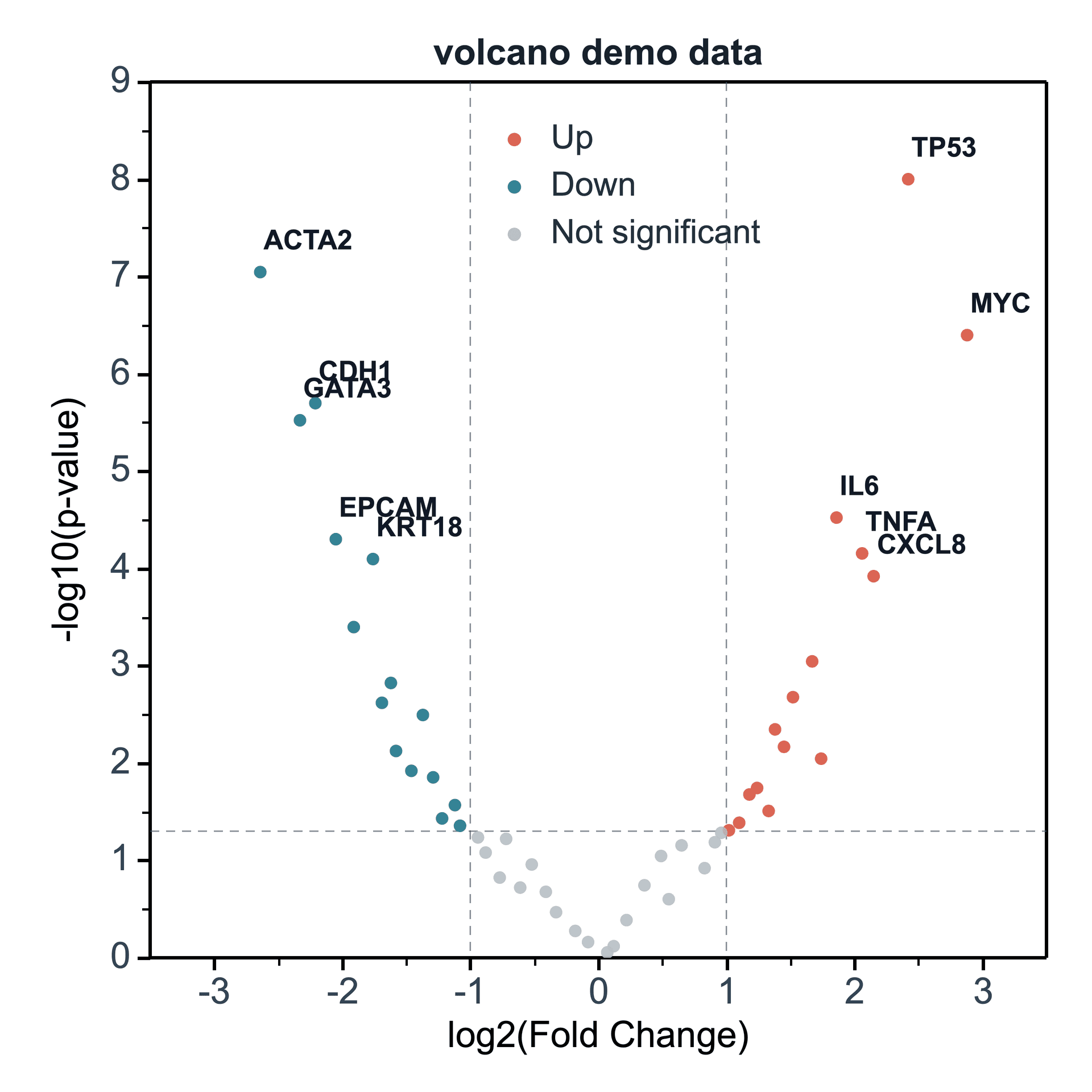
Create a volcano plot
In the Create Figure panel, map the log2FC column, significance column, and optional label column. SmartPlot creates the volcano plot from those mapped columns.
- Use the full table or the current selection as the data range.
- Choose New figure or Add to existing figure.
- Map log2FC · X to the log2FC column.
- Choose the significance source and map p_value · Y1 to the significance column.
- Optionally map the gene label column, group column, point-size column, or point-color column.
Create Figure
volcano_demo_data
Volcano Plot Settings
Data Range
Full table: 50 rows, 6 columns
Output
New figure
Add to existing figure
Volcano plots use log2 fold change for the X axis and p-value significance for the Y axis.
log2FC · X⌄
p-value column⌄
p_value · Y1⌄
gene · label column⌄
None⌄
None⌄
None⌄
Data Tablevolcano_demo_data
Mapped Columns3
Adjustable settings
These are the common settings for this plot type. For detailed line, marker, axis, legend, and font styling, see Styling.
- log2FC column
- Significance source
- Significance column
- Label column
- Group column
- Point size column