Origin alternative for Mac and Windows
A focused Origin alternative for everyday scientific plotting
SmartPlot is a native desktop plotting and data-analysis app for researchers who want a direct path from data tables to editable, publication-ready figures on macOS or Windows.
- Native macOS app
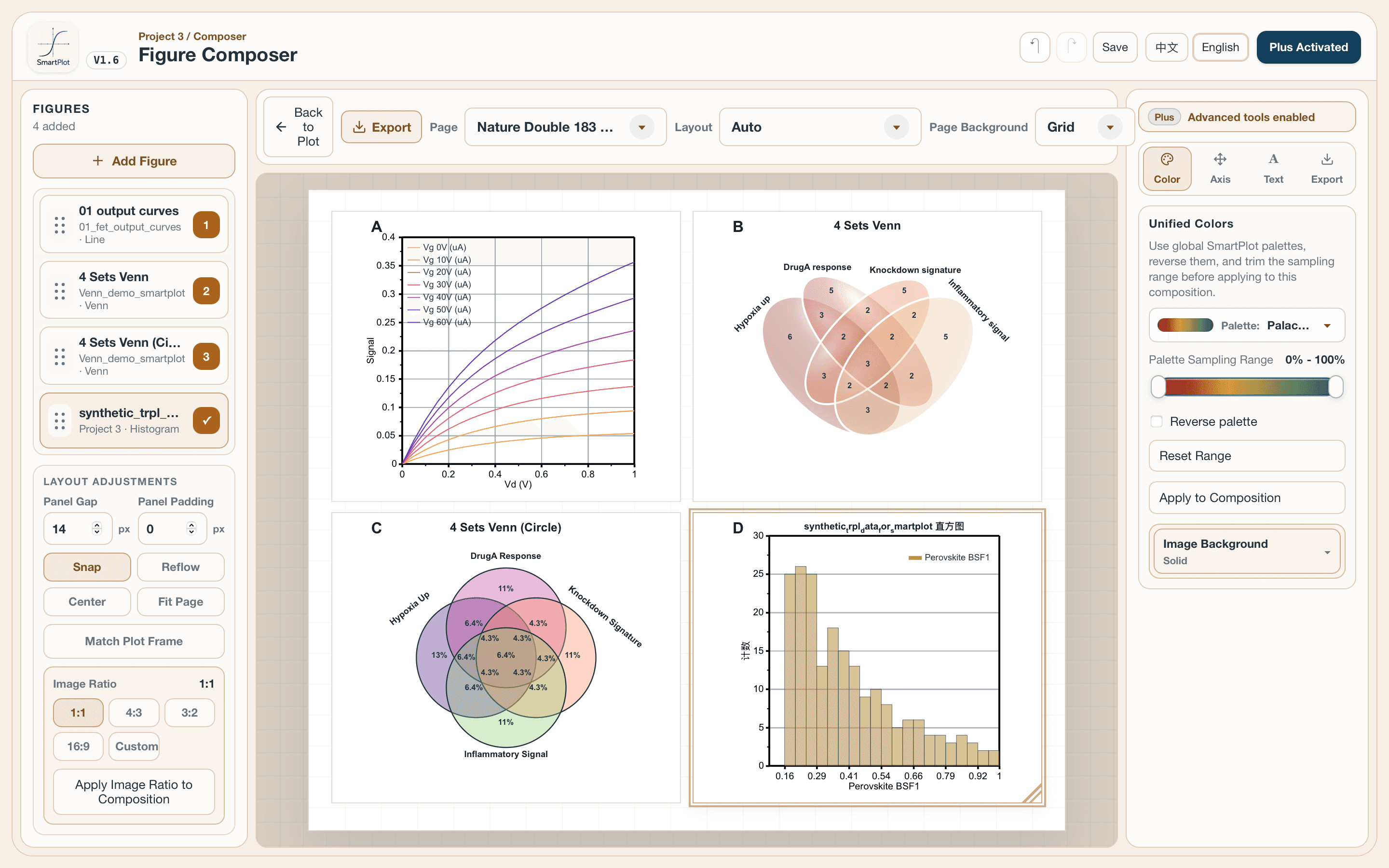
- Editable multi-panel figures
- SVG · PDF · PPTX export
When SmartPlot may be a practical fit
Consider SmartPlot when your priority is a focused desktop workflow rather than reproducing every OriginPro capability.
Native macOS workflow
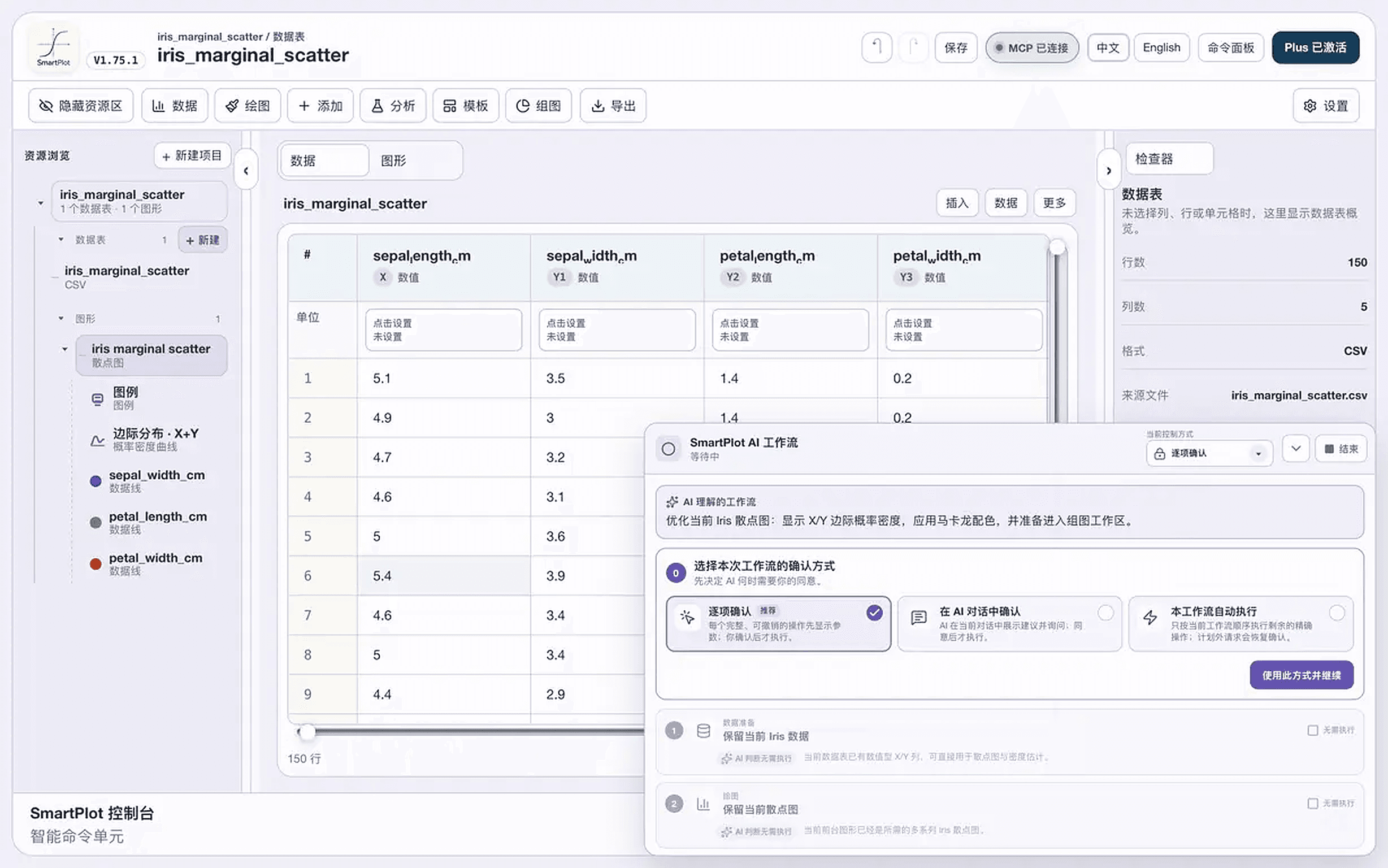
Run SmartPlot directly on macOS. OriginLab documents Origin and OriginPro as Windows software and recommends Windows through Boot Camp or a virtual machine for Mac users.
Plot, analyze, and export in one workspace
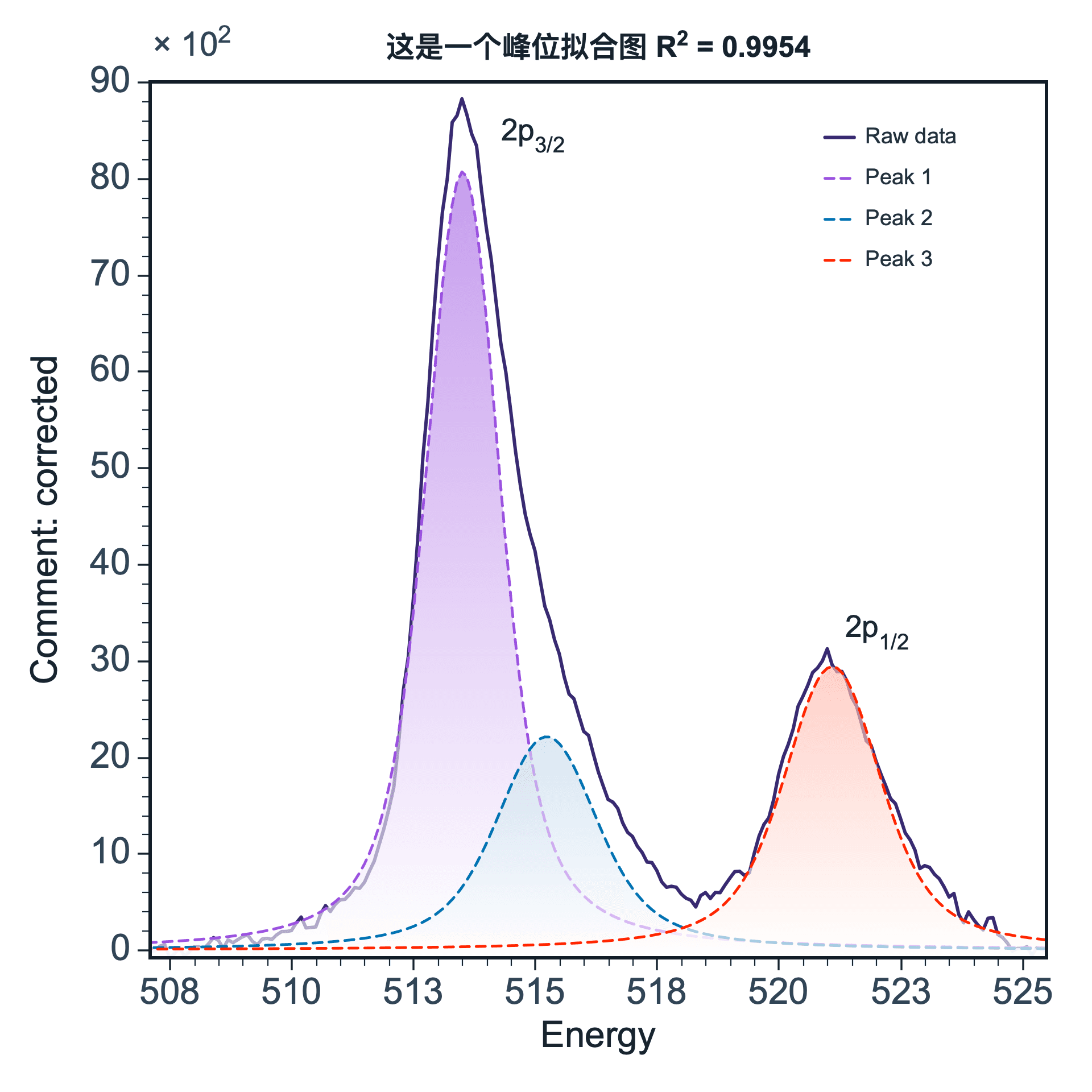
Import tabular data, create common scientific plots, run focused tools such as baseline correction and trend or peak fitting, then export raster or vector results.
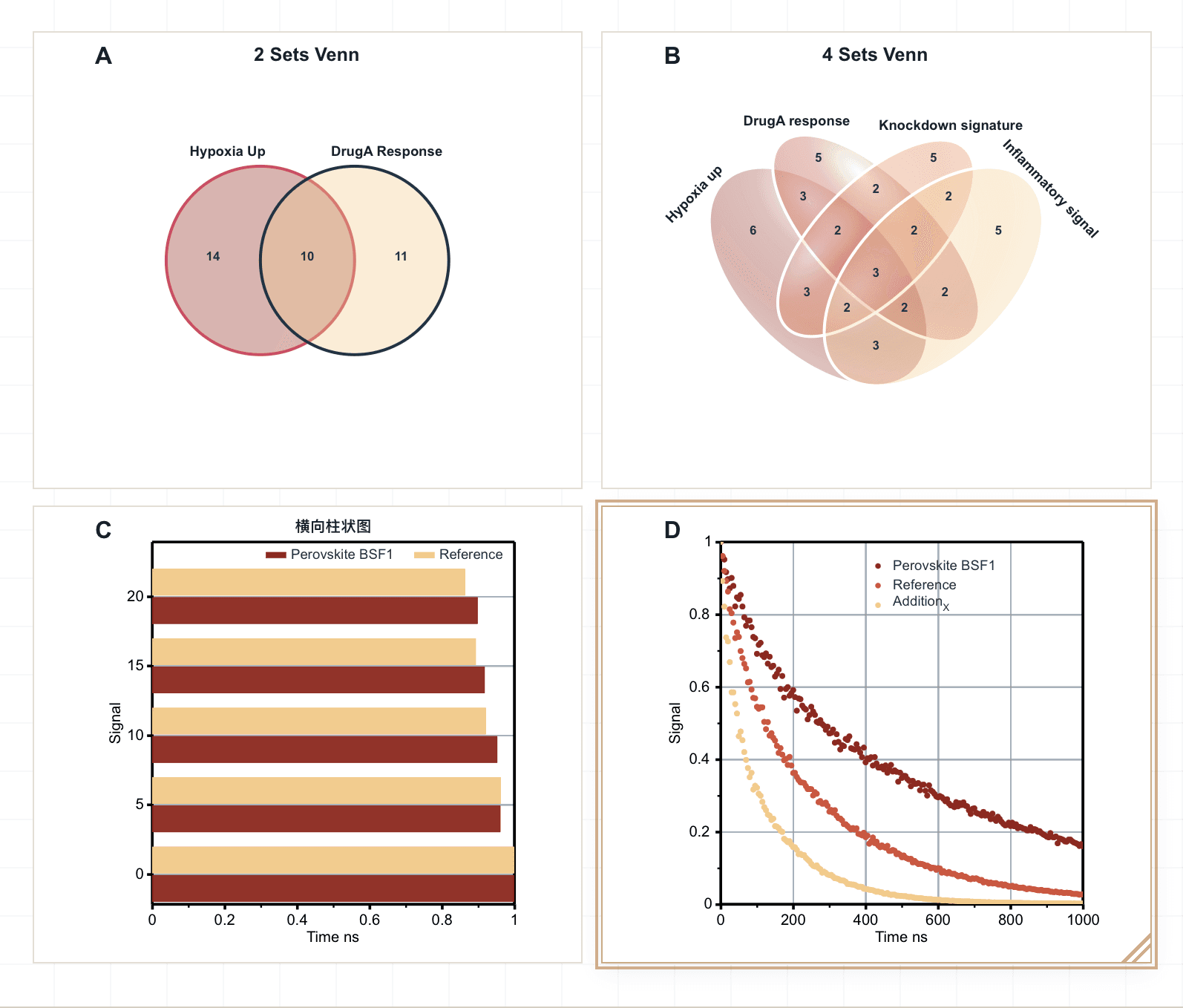
Multi-panel figure assembly
Use Figure Composer to arrange editable SmartPlot figures and external PNGs, align plot areas, add panel labels, and export the complete composition.
SmartPlot vs OriginPro: an honest comparison
Both applications can support scientific graphing, but they differ in platform support, breadth, and workflow design. The right choice depends on the analyses and file formats your research actually requires.
| What you need | SmartPlot | OriginPro |
|---|---|---|
| Desktop platforms | Native Windows and macOS apps; Linux builds are currently beta. | Windows application. On Mac, OriginLab directs users to run Windows through Boot Camp or third-party virtual-machine software. |
| Scientific plotting | Common research plots including line, scatter, bar, box, histogram, radar, vector, volcano, and 2D color-map workflows. | A much larger catalogue of built-in and extended 2D, 3D, statistical, contour, vector, and specialist graph types. |
| Fitting and focused analysis | Baseline correction, smoothing, normalization, trend fitting, peak fitting, distribution fitting, integration, and derivatives. | Broad curve and surface fitting, peak analysis, statistics, signal processing, mathematics, and data-processing tools. |
| Multi-panel figures | Figure Composer combines editable SmartPlot figures and PNGs on a shared canvas. | Built-in multi-axis and multi-panel graph types, linked layers, graph merging, and reusable graph templates. |
| Figure export | PNG, JPG, TIFF, SVG, PDF, and PPTX options are available in the desktop export workflow. | Raster, vector, and PDF export, plus presentation and reporting workflows. |
| Reuse and automation | Reusable plot styles and workflows, in-app Smart Panel commands, and approval-based MCP connections to compatible AI clients. | Graph templates plus a mature programming, connectivity, batch-processing, and Origin Apps ecosystem. |
| Best fit | Researchers who value a focused, modern cross-platform workflow for routine plotting, analysis, composition, and export. | Researchers who need comprehensive specialist analysis, extensive graph types, or established Origin-specific automation and project workflows. |
Comparison basis: the current SmartPlot repository and website documentation; OriginPro platform and feature statements use only OriginLab system requirements, product pages, and help documentation. Verified August 15, 2026.
Official OriginLab sources: system requirements · product features · multi-layer and multi-panel documentation
Migration boundary
Where SmartPlot is not equivalent to OriginPro
Choose based on the hardest workflow you must preserve, not on a generic “alternative” label.
- Do not assume an Origin project can be opened directly in SmartPlot. This page does not claim OPJ or OPJU project compatibility.
- Do not assume every OriginPro analysis, statistical test, fitting model, graph type, script, App, or database connector has a SmartPlot counterpart.
- If your lab depends on validated Origin templates, scripts, or specialist analyses, keep OriginPro in the workflow until you have tested the complete result path.
- Evaluate SmartPlot with copies of representative data and verify calculations, layout, labels, and export output before changing an established research process.
A simple evaluation path
- 1
Start with a representative dataset
Use a copy of real tabular data and follow the getting-started guide to confirm import and column mapping.
- 2
Recreate one routine figure
Check the plot type, axis controls, styles, annotations, and any baseline or fitting step you use regularly.
- 3
Validate the final deliverable
Export the required raster or vector format and compare dimensions, fonts, labels, and appearance in your paper or slide workflow.
Frequently asked questions
Is SmartPlot a complete replacement for OriginPro?
No. SmartPlot is a focused option for everyday scientific plotting, selected analysis tools, figure composition, and export. OriginPro has a broader collection of advanced analysis, statistics, signal-processing, programming, connectivity, and specialist graphing capabilities.
Does SmartPlot run natively on Mac?
Yes. SmartPlot provides a native macOS desktop app. OriginLab lists Origin and OriginPro as Windows software and documents Windows through Boot Camp or third-party virtualization as the Mac route.
Can SmartPlot open Origin OPJ or OPJU project files?
This page does not claim direct OPJ or OPJU project compatibility. Test migration with a copy of your source tables and verify every required analysis, style, annotation, and export before changing an established workflow.
Can SmartPlot handle curve fitting and peak fitting?
SmartPlot includes trend fitting and peak-fitting workflows, together with focused preprocessing and analysis tools. Available models and advanced controls are not identical to OriginPro, so check the analysis tutorial and test your specific model.
Should I keep OriginPro for advanced workflows?
Yes, if your work depends on an Origin-specific project, script, App, specialist graph, advanced statistical or signal-processing procedure, or a validated lab template that SmartPlot has not reproduced and verified.
Can I try SmartPlot before deciding?
Yes. Download SmartPlot and evaluate the Free plan with representative data. The pricing page explains which capabilities require Plus.
Cross-platform by design
Native on Mac. Ready on Windows. Linux in beta.
SmartPlot treats macOS as a first-class desktop platform, not a Windows app running through a virtual machine. Use the same focused plotting, analysis, composition, and export workflow across supported systems.
- macOSNative desktop app
A direct Mac workflow without running Windows.
- WindowsNative desktop app
The same focused SmartPlot workspace and project flow.
- LinuxBeta
Available for evaluation while platform support continues to mature.
Test the workflow that matters to you
Download SmartPlot, recreate one representative figure, and validate the exported result before deciding whether it fits your research workflow.