Native plots and imported PNGs, composed on one canvas
Add editable SmartPlot figures or external PNGs, define the area that should align, arrange the panels, and export one publication-ready composition without rebuilding everything in PowerPoint.
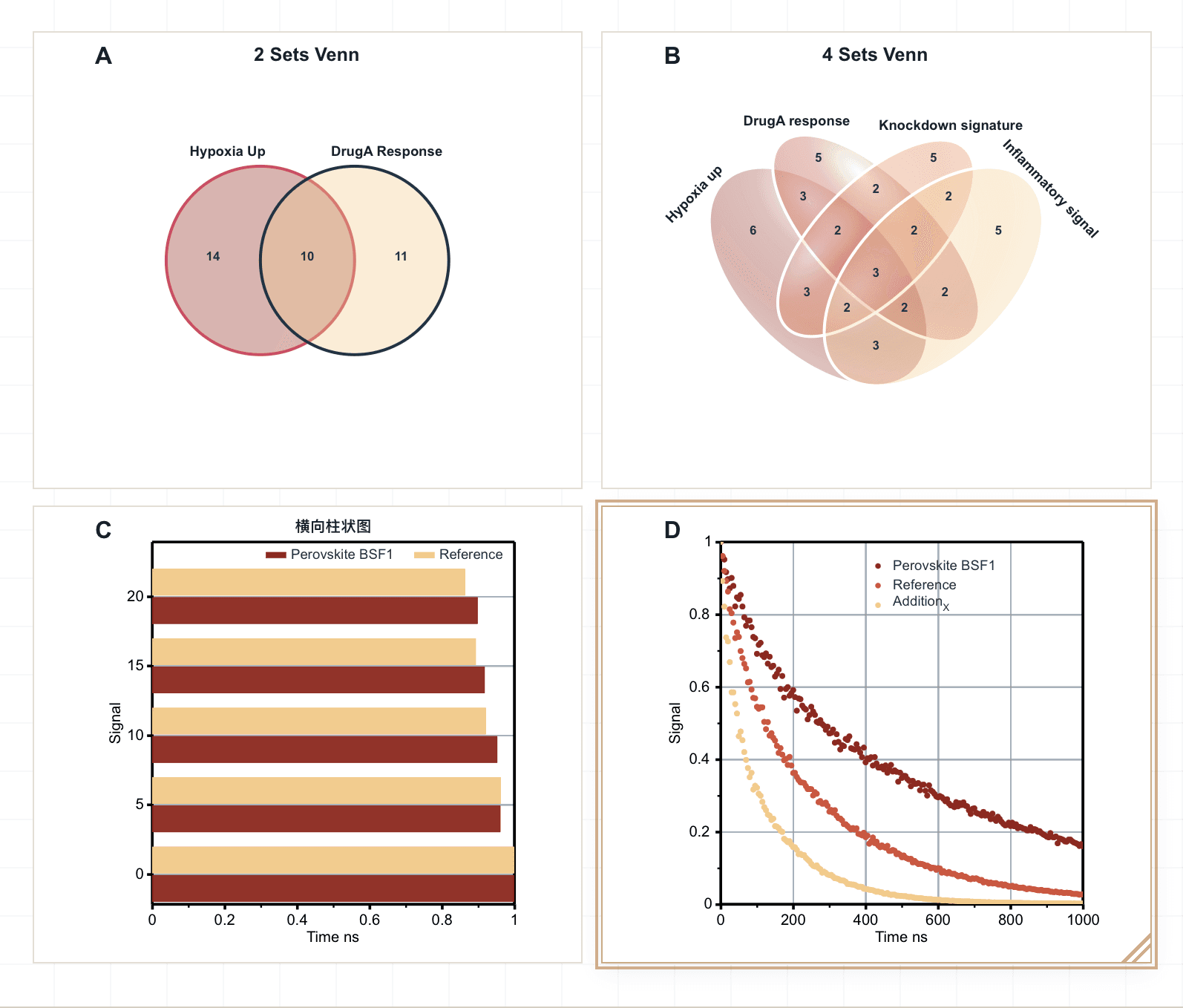
Bring native figures and external PNGs together
Native figures keep their SmartPlot editing controls. Imported PNGs use a calibration frame so Composer aligns the meaningful plot area instead of the outer image boundary.
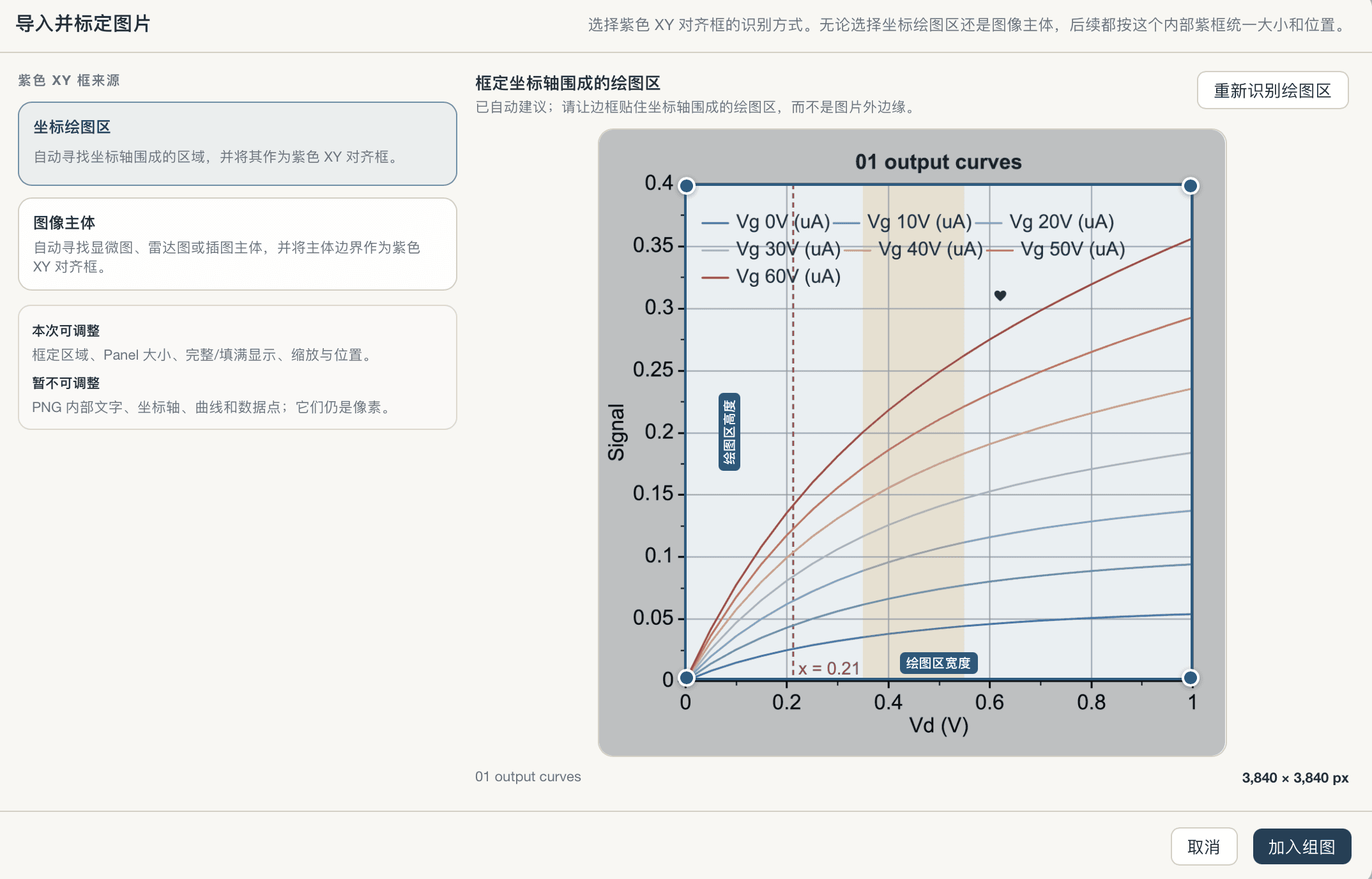
Choose the area that should align
After importing a PNG, choose Coordinate Plot Area or Image Body, then refine the frame. Composer uses that internal area to match panel size and position.
- Choose the recognition method
- Drag or resize the calibration frame
- Adjust panel size, fit mode, scale, and position
- Save, reopen, and export the calibrated composition
Text, axes, curves, and data points inside a PNG remain pixels and cannot be edited separately.
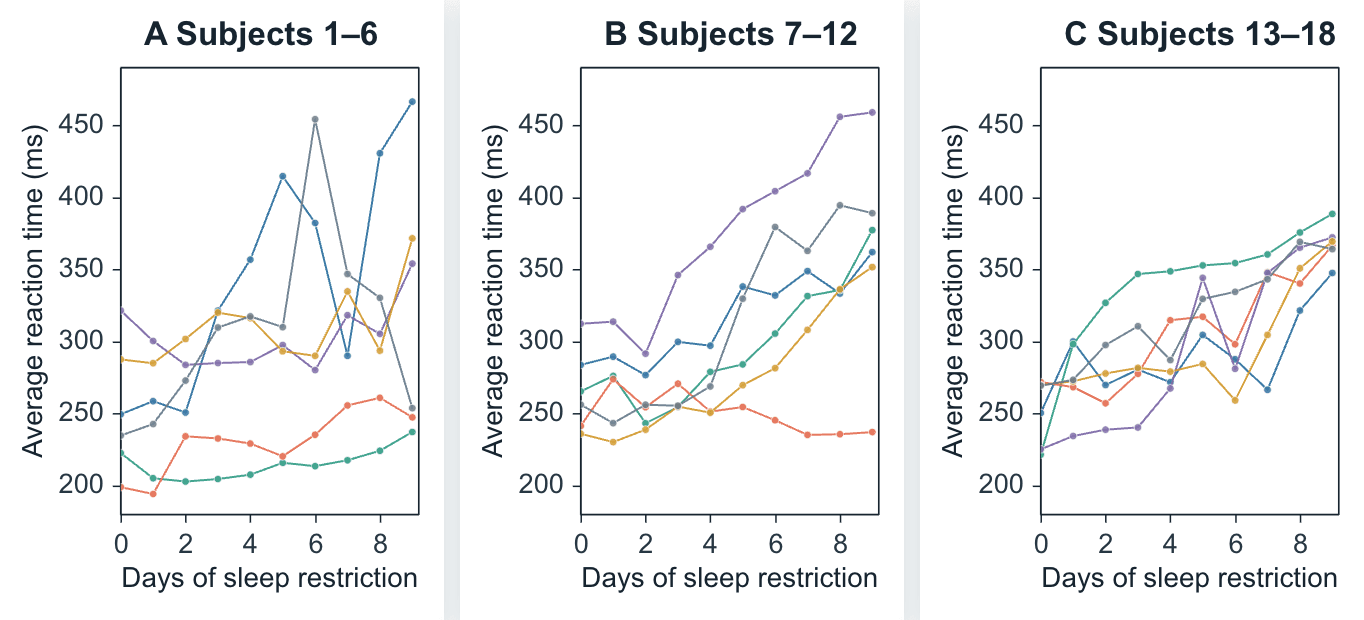
Brush away repeated axes and empty space
The same three plots can stay as independent panels or become one compact figure. Drag the brush to compare how shared borders, hidden repeated axis text, and tighter spacing change the composition without changing the data.
 Compact modeIndependent panels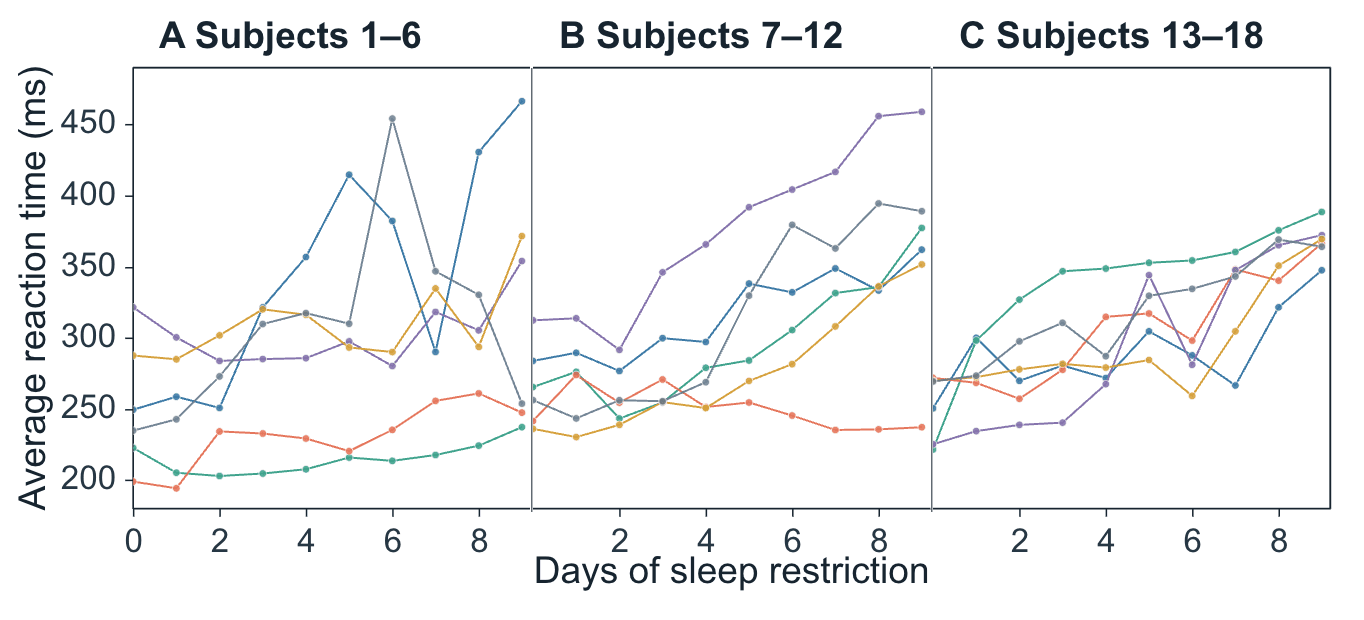
Control the whole composition in one place
Composer gathers the repeated adjustments that usually take the most time after the plots are already finished.
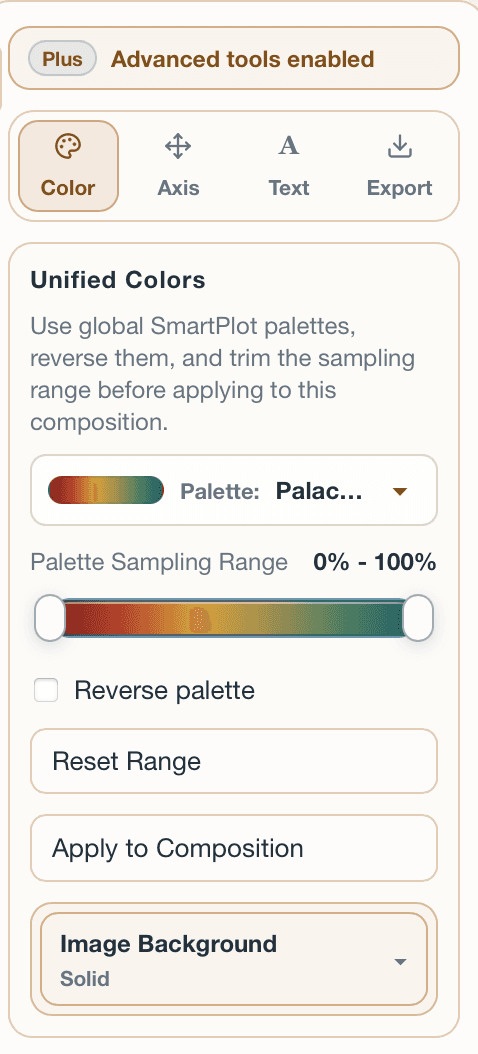
Unified colors
Apply one SmartPlot palette across panels, with range trimming and reverse-palette controls.