WHAT’S NEW?
SmartPlot V1.6 release
SmartPlot 1.6 focuses on publication assembly: a steadier group-figure panel, new Venn diagrams, dual-Y and horizontal plotting updates, and a more explicit unit editor.
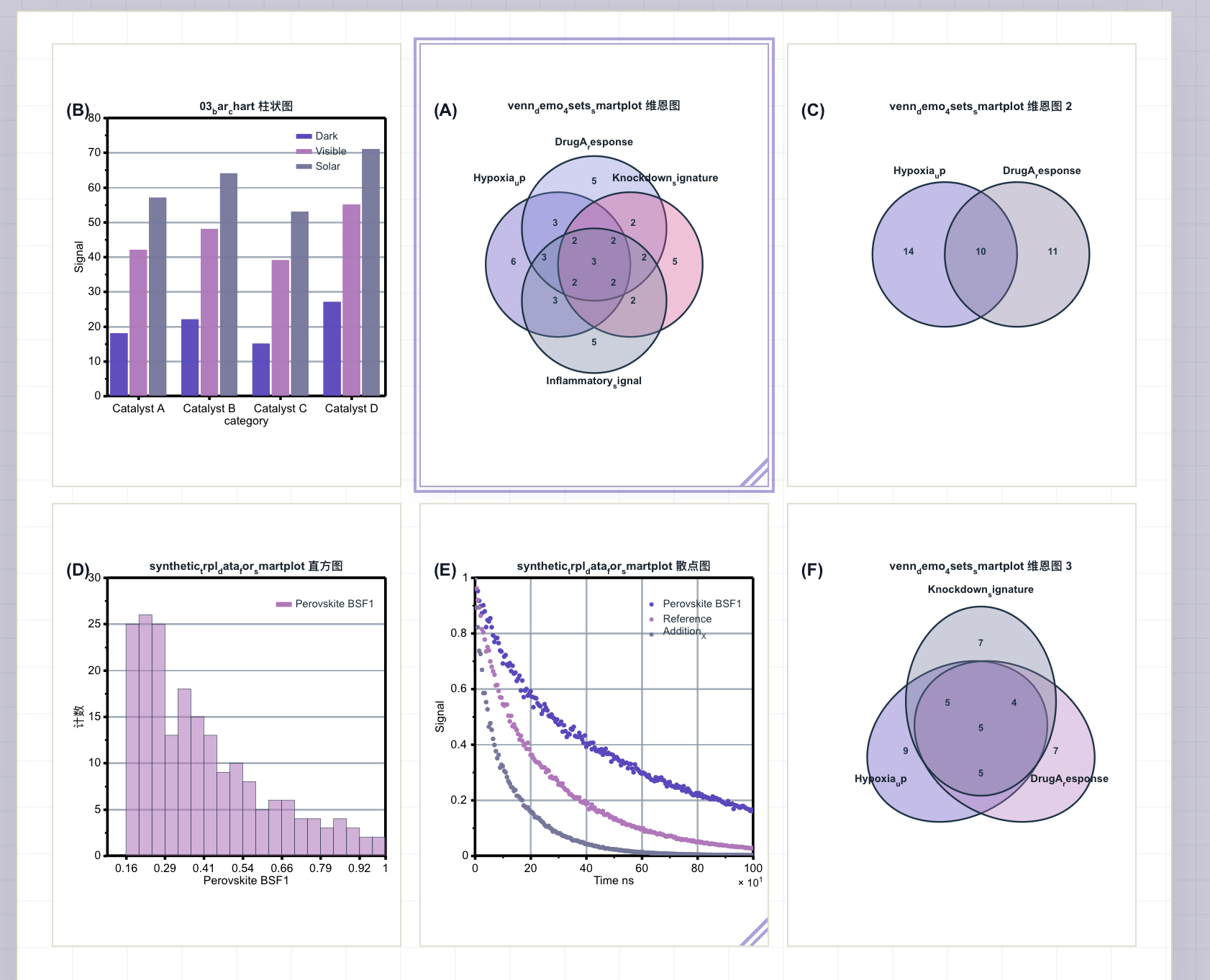
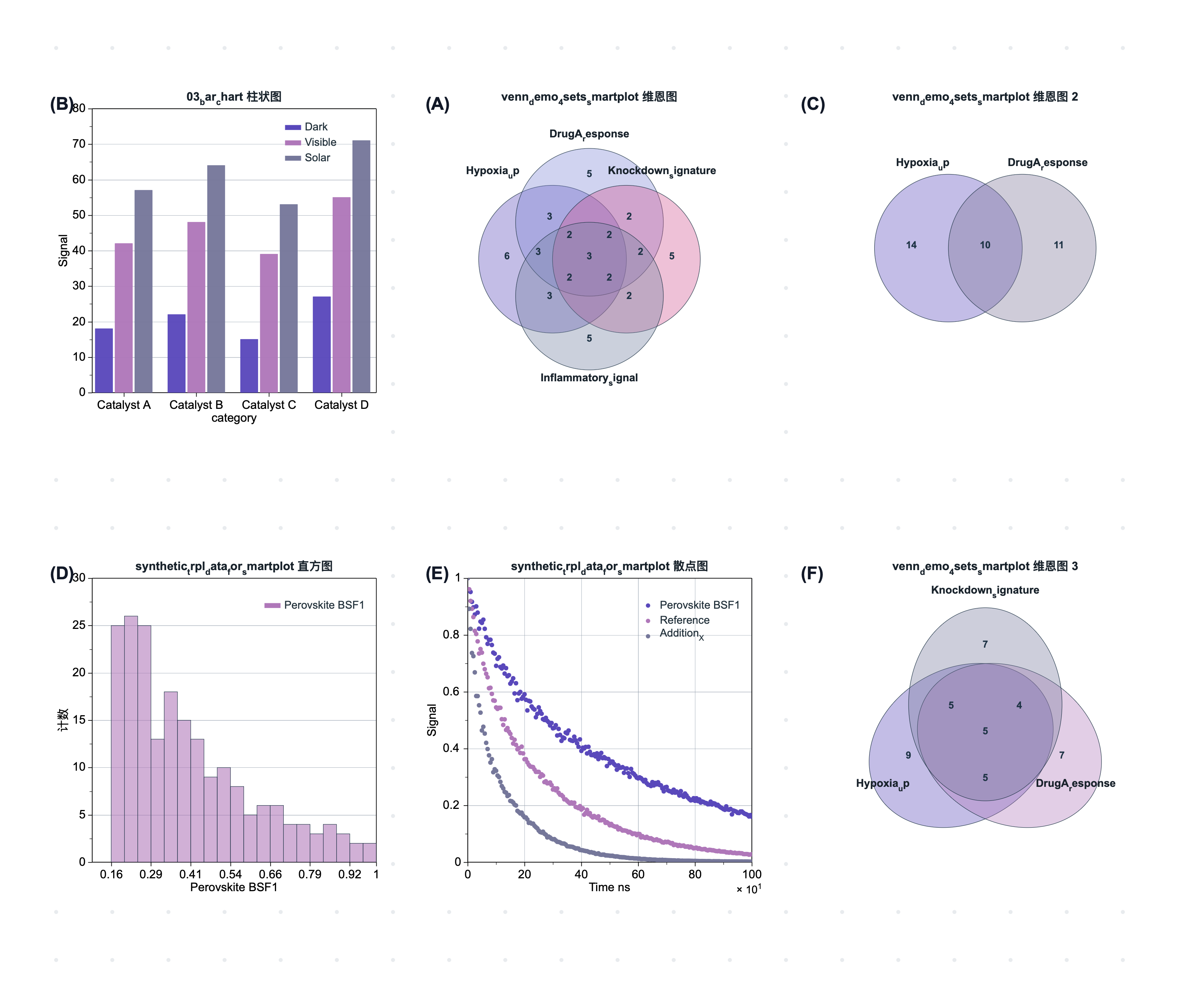
Group figures are now treated as a real layout desk
V1.6 strengthens the group-figure panel so multi-panel layouts behave predictably while you reorder, align, export, and refine plots for a manuscript figure.
- Panel order now moves the plot and panel label together, so A, B, C, and D stay tied to the correct slot.
- Group spacing, inner padding, snap alignment, fit-to-page, and move-only centering are tuned for stable figure assembly.
- Export uses the same visual weights as the canvas, including grid visibility, line thickness, panel labels, and plot-frame geometry.
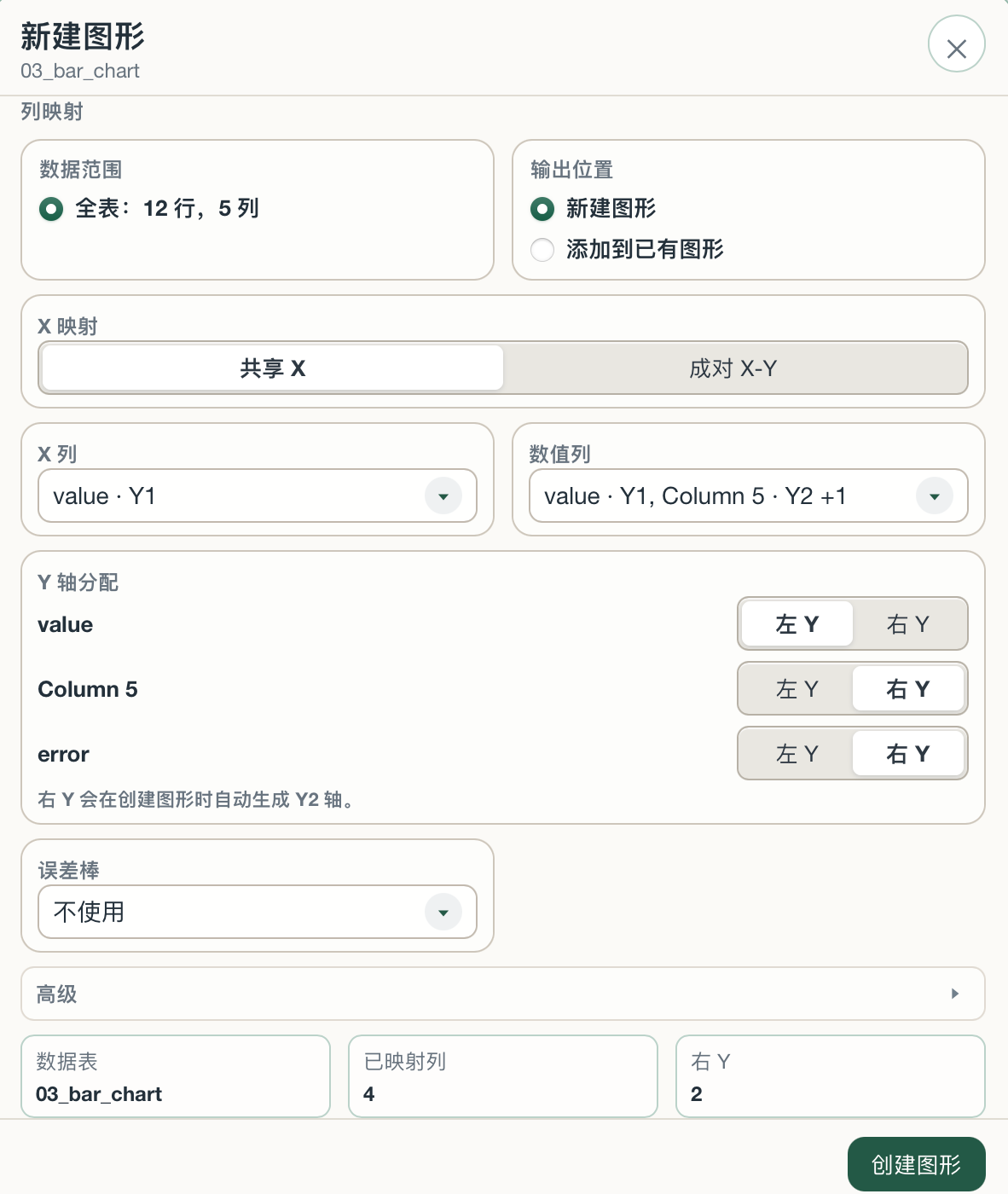
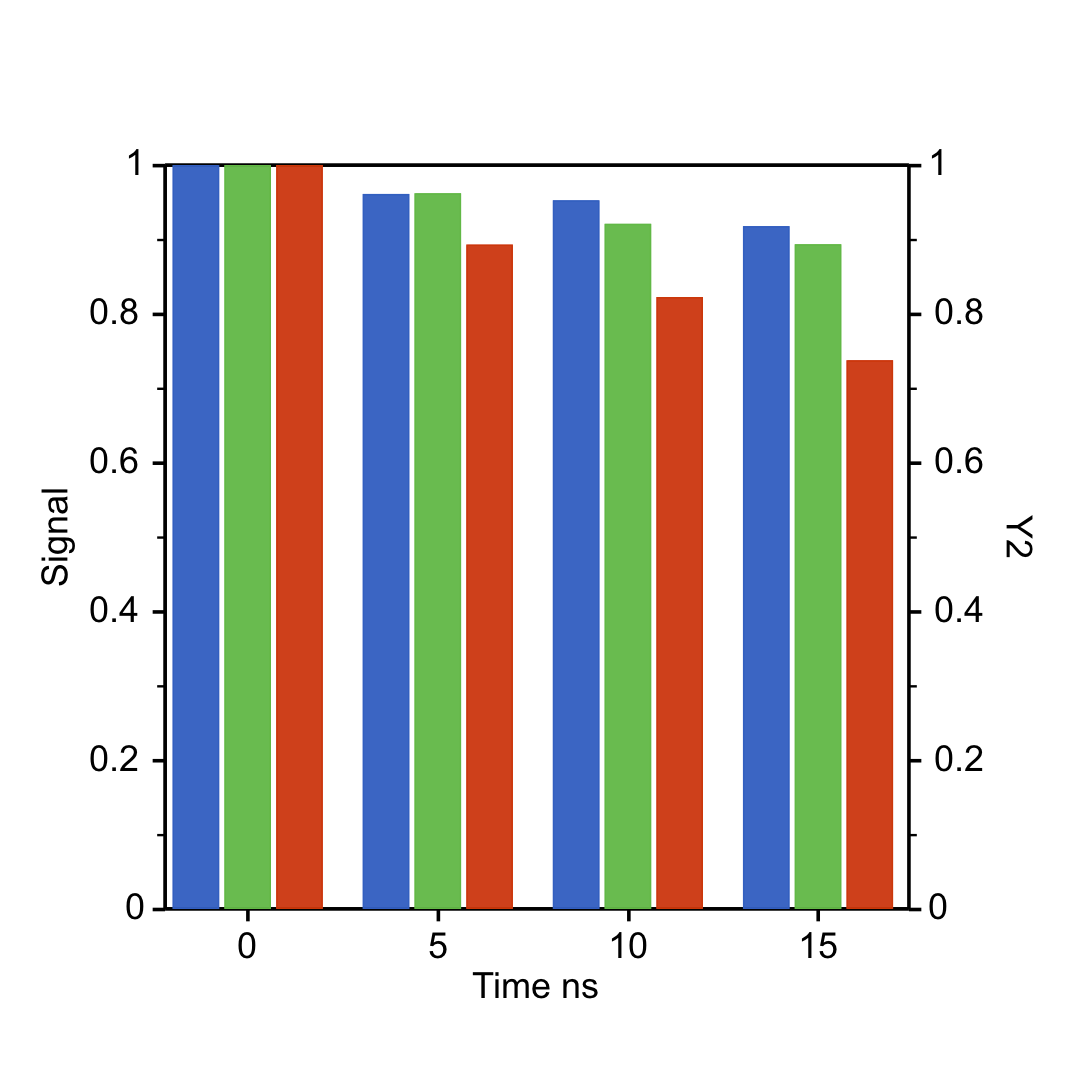
Dual-Y and horizontal charts get clearer mapping panels
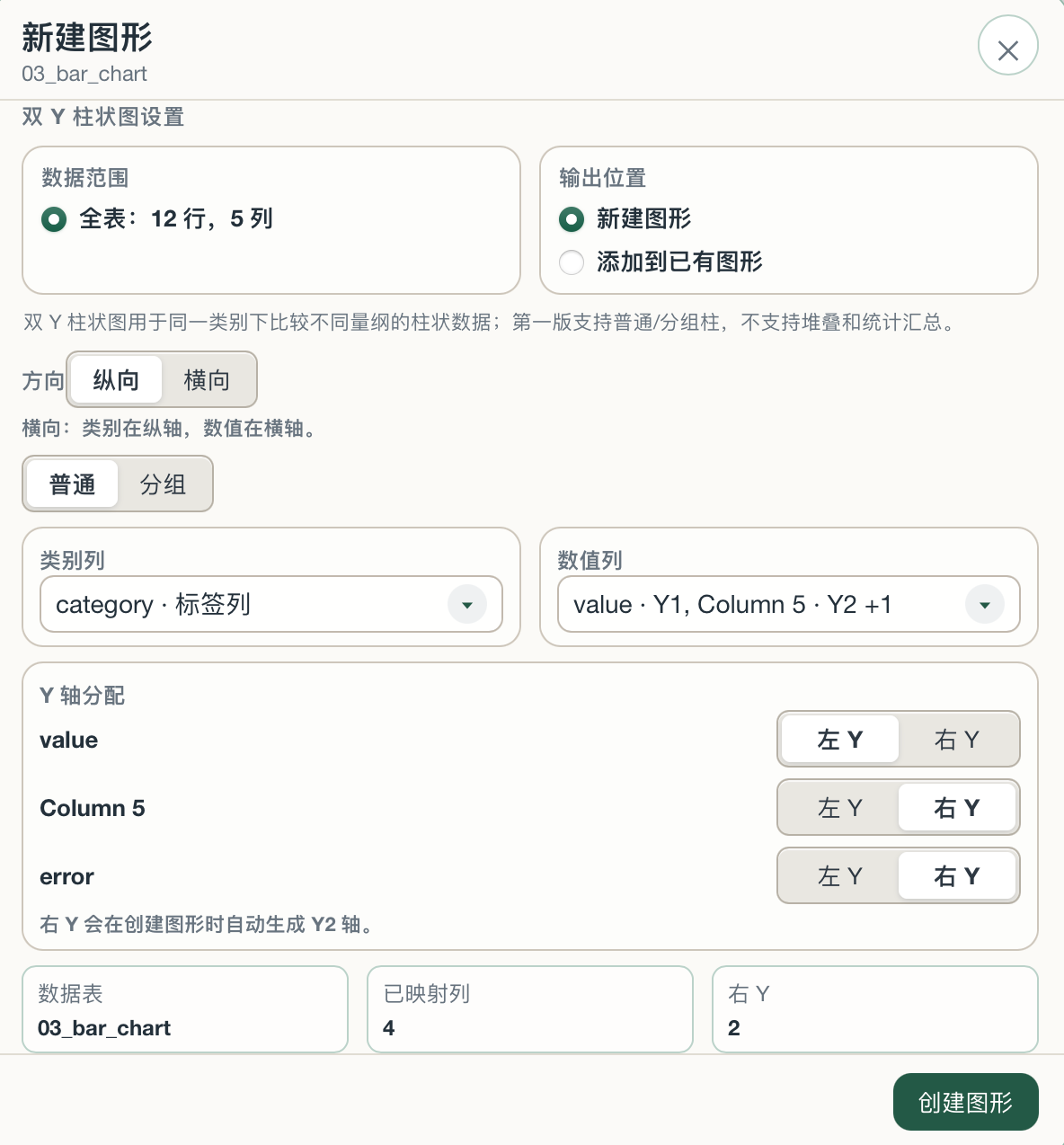
Dual-axis plotting now has explicit creation panels, right-axis assignment, and horizontal chart behavior that names X2 correctly instead of leaking vertical-axis language.
- Dual-Y bar charts can be created from the chart dialog with each numeric series assigned to left or right Y.
- Horizontal dual-axis charts expose the top axis as X2, with labels, inspector naming, and export behavior aligned to the chart orientation.
- Single-axis, vertical dual-axis, and horizontal dual-axis charts now keep their own recommended frame logic instead of unexpectedly resizing each other.

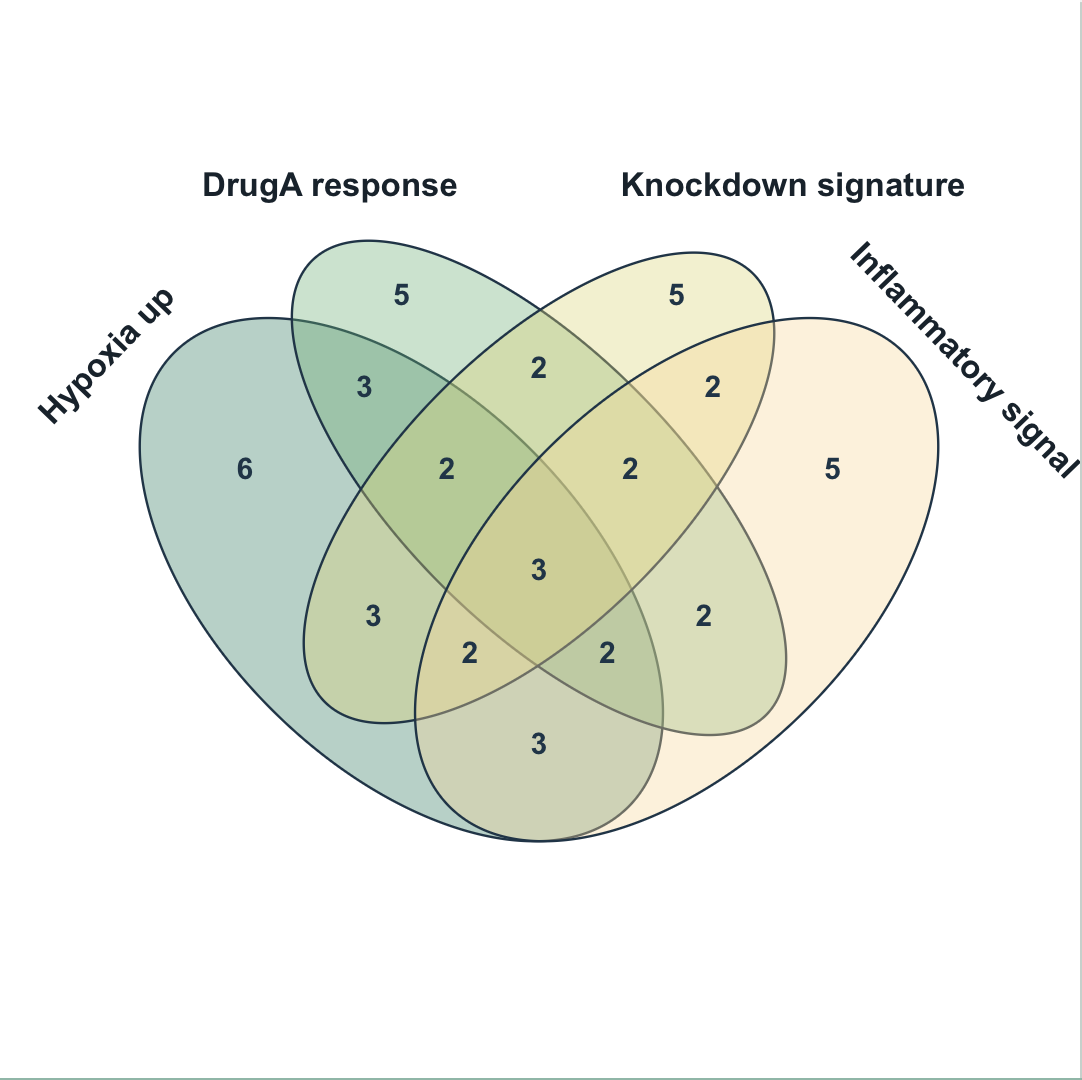
Venn diagrams arrive for 2-4 sets
V1.6 adds a first SmartPlot Venn workflow for comparing list overlaps, with mature circle and ellipse templates, editable labels, and set-level styling.
- Create Venn diagrams from 2, 3, or 4 set columns; non-empty unique values become set members.
- The initial templates are tuned from common scientific Venn layouts, including the four-set paired-ellipse style.
- Set names, region numbers, fill, border, opacity, label rotation, LaTeX text, and reset-to-default controls are available from the Venn inspector.
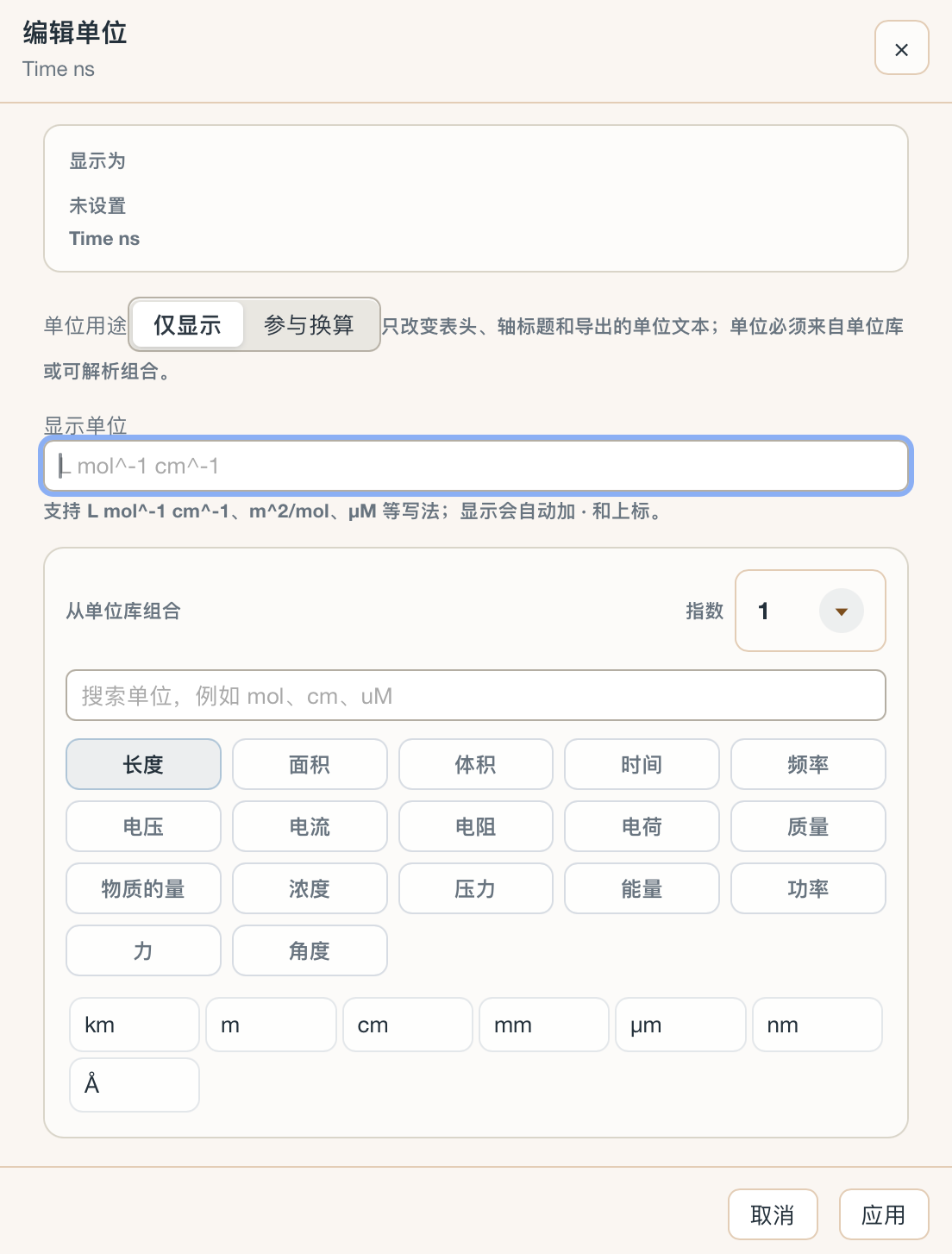
The unit editor is more explicit and safer to reuse
V1.6 separates display-only units from units that participate in conversion, making axis titles, table units, and exported labels easier to manage.
- Choose whether a unit is only shown as text or participates in conversion.
- Use the unit library by category, exponent, and common symbols such as mol, cm, uM, km, mm, um, nm, and Angstrom.
- Unit text can be shown with scientific formatting while keeping table data and conversion intent understandable.
Compatibility work for saved projects, templates, and exports
Because V1.6 changes many plotting surfaces, this release also spends time on the less visible parts: saving, opening, template reuse, inspector actions, and export consistency.
- Legacy single-axis charts keep their familiar frame size and title position unless the user explicitly changes margins or ratio controls.
- Project and template loading preserves old chart settings while adding the newer title, unit, ratio, and dual-axis fields safely.
- Inspector buttons, custom ratio controls, Venn text handles, group export, and chart-grid visibility were checked together to avoid regressions.
Compatibility work for saved projects, templates, and exports
Because V1.6 changes many plotting surfaces, this release also spends time on the less visible parts: saving, opening, template reuse, inspector actions, and export consistency.
- Legacy single-axis charts keep their familiar frame size and title position unless the user explicitly changes margins or ratio controls.
- Project and template loading preserves old chart settings while adding the newer title, unit, ratio, and dual-axis fields safely.
- Inspector buttons, custom ratio controls, Venn text handles, group export, and chart-grid visibility were checked together to avoid regressions.
Also included in V1.6
Group-figure layout now keeps panel slots, panel labels, plot positions, grid visibility, and export line weights consistent.
Venn diagrams support 2-4 sets with circle and ellipse templates, editable set labels, region labels, fill and border controls, LaTeX text, and click/hover region feedback.
Dual-Y bar charts add explicit left/right Y assignment, and horizontal dual-axis charts use X2 terminology for the top numeric axis.
Plot-frame ratio controls were tightened: centering moves the frame without resizing it, while explicit ratio changes preserve predictable geometry.
The new unit editor separates display-only unit text from conversion-aware unit settings and exposes a searchable unit library.
Saved projects and reusable templates receive compatibility handling for new title, unit, ratio, dual-axis, group-panel, and Venn settings.
Exports from single figures and group figures now better match canvas line weights, grid visibility, labels, and panel composition.
V1.6 also includes narrow-screen inspector adjustments, Windows-oriented naming fixes, Venn creation from selected ranges, and additional stability checks before release.
Past News
SmartPlot V1.55
June 15, 2026Standalone radar charts, visual Add tools, marquee selection, data import append/replace, and fill patterns.
Issue 1.5SmartPlot V1.5
June 9, 2026Axis frame control, inset zoom, significance analysis, and chart interaction fixes.
Issue 1.4SmartPlot V1.4
June 3, 2026Focus on settings, reusable styles, shortcuts, analysis presentation, and data cleanup.